


 By
By You go to Google to search for something mundane. A recipe, a flight, the capital of some country you can never remember. And then, on a whim, you type two words that transform the entire page into an arcade machine. No app to download. No account to create. Just you, a bouncing ball and a wall of colorful blocks waiting to be destroyed. That’s what Google’s Block Breaker Easter egg delivers. And it’s been quietly rewarding curious users for years.
If you’ve never stumbled on it, that’s the whole point. Google builds these hidden games not to announce them, but to reward exploration. The Block Breaker experience sits in that tradition, a perfectly playable retro arcade challenge baked directly into the world’s most visited website. And once you know it’s there, you’ll never look at the search bar the same way. Here’s everything worth knowing: the history, the tricks, the tips and the secrets most players miss.
What Is the Block Breaker Google Easter Egg?
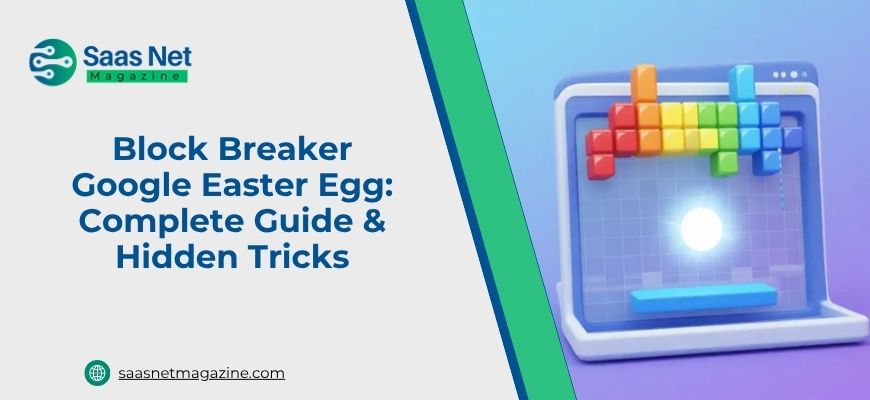
The Block Breaker Google Easter egg is a free, browser-based arcade game that appears directly within Google’s search interface. By typing “block breaker” into the search bar, players can launch an interactive, HTML5-powered arcade experience inspired by Breakout and Arkanoid. The game transforms the search interface into a colorful arena where you use a paddle to bounce a ball, break rows of blocks and progress through increasingly challenging levels.
It’s designed to run directly in browsers, requiring no downloads, no sign-ins and no plugins. The interface loads almost instantly and it’s fully optimized for both desktop and mobile users.
At its core, the concept is simple. Blocks sit at the top of the screen, a ball bounces around and your job is to keep the ball in play using a paddle at the bottom. Break enough blocks and you advance. Lose the ball too many times and it’s over. The simplicity is deliberate — like all the best arcade games, the loop is easy to understand and difficult to put down.
The History: From Atari’s Garage to Google’s Search Bar
To understand the Block Breaker Easter egg properly, you have to go back to 1976.
Atari released Breakout as an arcade game with a very simple premise: using a pixelated paddle, players bashed a pixelated ball at a wall of pixelated bricks. Knock apart enough bricks and you win. Miss the ricocheting ball and you lose. The concept was loosely based on Pong but was single-player and it became Atari’s most popular game until Asteroids arrived in 1979.
There’s a remarkable footnote to that history. One of the men originally tasked with developing an early version of Breakout was Atari employee and future Apple co-founder Steve Jobs. Jobs subsequently handed off the project to his friend Steve Wozniak, who also went on to co-found Apple. The game that would eventually inspire Google’s Easter egg was originally built by two of Silicon Valley’s most important figures working in a garage.
In May 2013, Google rolled out a playful Atari Breakout Easter egg to celebrate the game’s 37th anniversary. Typing “Atari Breakout” in Google Images transformed search results into a playable game where image thumbnails became bricks.
The original Google Atari Breakout experience was eventually removed, but it inspired later versions. The newer Block Breaker Google game (released in 2025 in some rollouts) is a standalone search-based mini-game, not a direct port, with modern improvements like levels, mobile optimization and power-ups.
How to Access and Play It
On desktop: Open Google.com, type “block breaker,” and launch the game from the search results panel. Click play and the game starts instantly.
On mobile: The game is fully touch-optimized. You simply drag your finger left and right to control the paddle.
The earlier Atari Breakout Easter egg can sometimes still be found through preserved versions or archives, though it is no longer consistently available in Google Images for all users.
Gameplay Mechanics: What’s Actually Happening
The surface mechanics are simple: the ball bounces, breaks blocks, and you keep it in play using the paddle. But the underlying design is more dynamic than it looks.
Ball speed: The ball accelerates as more blocks are cleared, turning the game from controlled to chaotic over time.
Ball angle: The bounce angle depends on where the ball hits the paddle. Center hits go straight; edge hits create sharp angles.
Progression: Clearing blocks advances levels with increasing difficulty and faster ball movement.
Lives: You lose a life when the ball falls below the paddle area, making survival increasingly difficult in later stages.
Hidden Tricks Most Players Miss
The tunnel trick: Creating a vertical gap allows the ball to bounce repeatedly behind the blocks, clearing large sections automatically.
Center control strategy: Staying near the center improves reaction time and reduces unnecessary movement.
Angle control mastery: Using paddle edges intentionally gives precise directional control instead of random rebounds.
Early-game planning: The slow start phase is the best time to carve out strategic openings for later gameplay.
Tips for High Scores
Prioritize upper blocks early: Top rows often yield better scoring opportunities and faster level progression.
Avoid panic movement: Controlled positioning is more effective than constant chasing.
Watch the ball, not the paddle: Predicting trajectory is more important than reacting late.
Use power-ups wisely: If available, activate paddle or speed modifiers at critical late-game moments for maximum impact.
Original vs Modern Version
The 2013 Atari Breakout Easter egg used actual Google Images search results as destructible bricks, creating a surreal and unpredictable experience.
The modern Block Breaker version is more structured, with designed levels, smoother performance, mobile optimization, and added gameplay features like power-ups and scoring systems.
The original felt experimental and chaotic, while the modern version is more polished and game-like.
Is It Available on Mobile?
Yes. The Block Breaker Google Easter egg is fully playable on mobile devices with touch controls designed for dragging motion. The experience is smoother than earlier versions and works across modern browsers without installation.
Common Issues and How to Fix Them
The game doesn’t appear when I search “Atari Breakout” in Google Images.
The original Easter egg no longer appears for all users because Google Images’ interface has changed. Google sometimes decommissions old Easter Eggs and the original Atari Breakout Easter egg doesn’t necessarily show up in Image Search for all users. Use elgoog.im/breakout for a preserved version, or search “block breaker” directly on Google.com for the 2025 version.
The game loads but doesn’t respond to keyboard inputs.
Click once inside the game window to ensure it has focus. Browser games require the game element to be selected before accepting keyboard input. Clicking the game area before pressing arrow keys usually solves this immediately.
The game runs slowly or stutters.
Close other browser tabs, particularly video streaming tabs. Block Breaker runs in the browser and competes for resources with other open pages. Fewer background processes means smoother gameplay.
Mobile touch controls feel imprecise.
Try rotating your device to landscape orientation. The wider screen gives more paddle range and makes precise control significantly easier on small phone screens.
Other Google Easter Eggs Worth Trying
Once you start hunting, it’s hard to stop. Google has seeded dozens of these hidden experiences across its products.
Google Dino Game – The most-played accidental Easter egg in history. When Chrome loses internet connection, a little dinosaur appears. Press space to run it as an endless runner. You can also type “chrome://dino” in the address bar to access it without losing connectivity.
Zerg Rush – Search “zerg rush” and watch a swarm of Google O’s start devouring your search results. Click them to fight back. It’s frenetic and bizarre and completely charming.
Pac-Man Doodle – Google built a fully playable Pac-Man game for the franchise’s 30th anniversary that’s still accessible through Google Doodles archive. One of the most polished Easter eggs they’ve ever produced.
Google Snake – Search “snake game” and get a modern version of the Nokia classic directly in search results.
Solitaire and Tic-Tac-Toe – Search either and you’ll find playable versions embedded in results. Simple, functional and useful for quick breaks.
Why These Hidden Games Keep Working
There’s a psychology to why people respond so strongly to Google Easter eggs in general and Block Breaker specifically. It’s not just that the games are fun, though they are. It’s the discovery mechanism.
Finding a playable arcade game inside a search engine feels like finding a secret room in a building you’ve visited thousands of times. The delight is proportional to the unexpectedness. Google hasn’t announced these features. They don’t appear in app stores or product release notes. They reward the curious and the accidental in equal measure.
Block Breaker works specifically because it taps into something deeply embedded in gaming history. Brick-breaking mechanics are among the most intuitive in video game design. No instruction manual needed, no tutorial required. You see a ball, a paddle and blocks. You know what to do. That universality is why the format has survived from 1976 to 2025 essentially unchanged. The core loop doesn’t need improvement because it was right to begin with.
Conclusion
Tyna Robertson’s story is, at its core, a deeply human one. Strip away the lawsuits, the celebrity associations and the tabloid framing and what remains is a woman who built a career on her own terms, loved fiercely, endured catastrophic loss, fought publicly for her reputation and ultimately chose peace over prolonged exposure. She is not the villain some coverage painted her as. Nor is she a passive figure defined entirely by the famous men her name became attached to. She is a mother. A survivor. A private person who found herself at the center of very public storms she did not always invite.